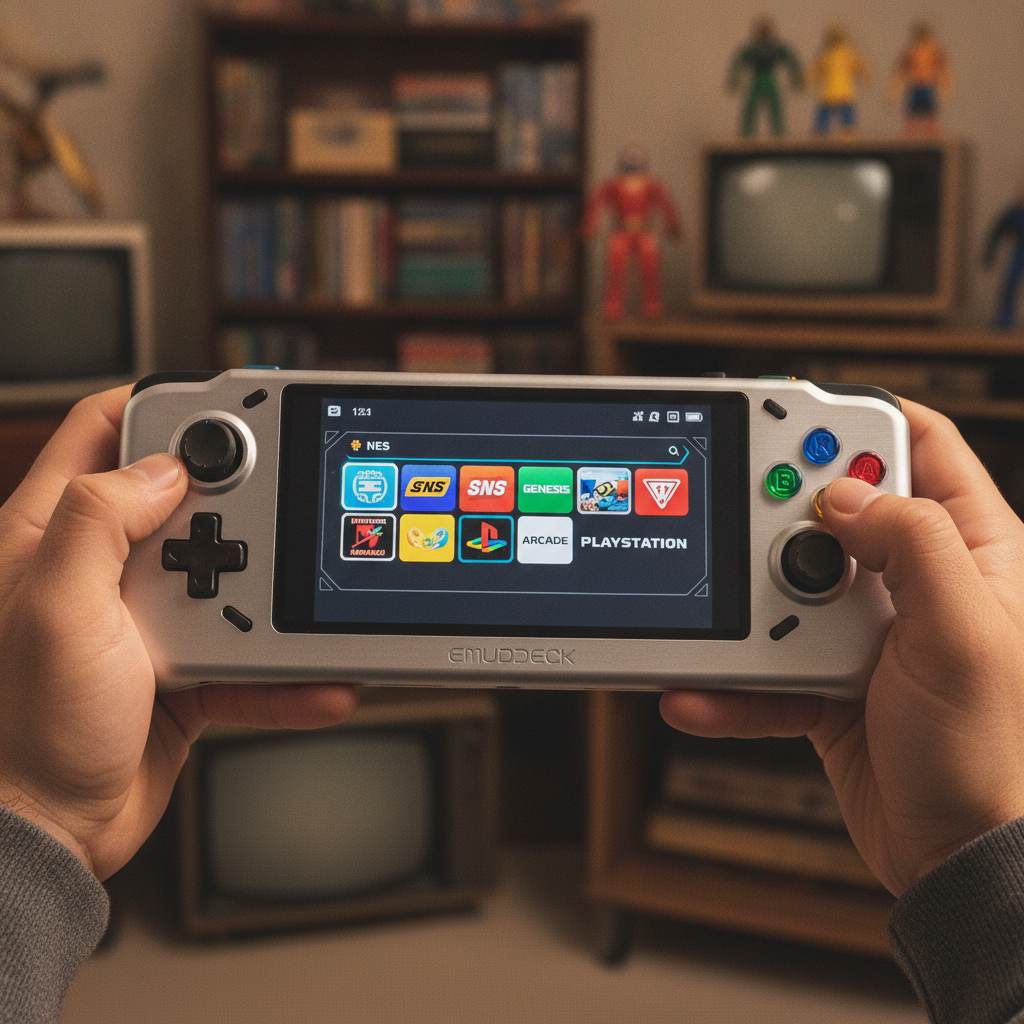
The world of Android handheld gaming and emulation has just received a monumental upgrade, and it’s all thanks to the latest update from the creators of EmuDeck. While EmuDeck has long been a staple for PC-based emulation enthusiasts, its foray into the Android ecosystem has been met with eager anticipation. Now, with a substantial new release spearheaded by the groundbreaking Rift Frontend, EmuDeck for Android is poised to redefine what’s possible on our mobile devices, bringing a suite of features that significantly enhance the user experience, connectivity, and overall performance.
This isn’t just a minor patch; it’s a comprehensive overhaul designed to make your Android device a more robust and versatile emulation powerhouse. The centerpiece of this update is undoubtedly the Rift Frontend, a new launcher that doesn’t just look good, but fundamentally improves how you interact with your vast library of classic games.
A Glimpse into the Rift: The New Frontend Experience
At the heart of EmuDeck’s latest Android iteration lies the Rift Frontend. This isn’t merely a graphical facelift; it’s a complete reimagining of the user interface, offering a sleek, intuitive, and highly customizable experience. Gone are the days of navigating clunky menus. Rift provides a streamlined gateway to your games, organized beautifully with rich artwork and detailed metadata. It’s designed from the ground up to be responsive and efficient, whether you’re using a touchscreen or navigating with a physical controller on a dedicated handheld device. The focus here is on immersion and ease of access, making the journey from booting up your device to jumping into your favorite retro title as seamless as possible. Expect a fluid experience that truly feels native to modern Android.
CloudSync: Your Saves, Anywhere, Anytime
One of the most requested features for any modern gaming platform, and especially for emulation setups, is robust save synchronization. EmuDeck for Android delivers this with its new CloudSync functionality. Imagine effortlessly transitioning your game progress from your Android tablet to your smartphone, or even between different Android-powered handhelds. CloudSync ensures that your precious save states, game progress, and configuration files are securely stored in the cloud, accessible whenever and wherever you log in. This eliminates the frustration of losing progress or being tethered to a single device, offering unparalleled flexibility for gamers on the go. It’s a game-changer for those who juggle multiple devices or simply want peace of mind knowing their hard-earned progress is safe.
Personalization Unleashed: Themes and Artwork Scraping
Customization is key to making any platform feel truly your own, and EmuDeck’s new update embraces this wholeheartedly. With expanded support for themes, users can now personalize the look and feel of their frontend to an unprecedented degree. Whether you prefer a minimalist aesthetic, a vibrant arcade theme, or something that evokes the nostalgia of a specific console era, the options are plentiful.
Complementing this is enhanced artwork scraping. For any serious emulator enthusiast, the visual presentation of their game library is almost as important as the games themselves. The updated EmuDeck can now automatically scrape and organize high-quality cover art, screenshots, and game descriptions from various online databases, transforming a simple list of ROMs into a visually stunning digital museum. This attention to detail significantly elevates the browsing experience, making your game collection a joy to explore.
Dual-Screen Support: A Niche No More
For fans of systems like the Nintendo DS, dual-screen functionality is not just a feature; it’s fundamental to the gaming experience. EmuDeck for Android now boasts robust dual-screen support, making it possible to play DS titles and other multi-screen games with greater fidelity and control. This means developers have worked tirelessly to ensure that both screens are rendered accurately and can be manipulated effectively, whether through on-screen controls or cleverly mapped physical buttons on compatible hardware. This opens up a vast library of games that were previously challenging or awkward to play on a single-screen Android device, dramatically expanding the playable catalog for many users.
Armada Compatibility: Expanding the Hardware Horizon
Finally, the update brings crucial Armada compatibility. While the specifics of “Armada” might vary depending on context, in the realm of emulation and hardware, this typically refers to a standardized set of libraries or hardware specifications designed to improve performance and compatibility across a broader range of Android devices. By integrating Armada compatibility, EmuDeck ensures that its powerful emulation capabilities can be leveraged by an even wider array of Android-based handhelds and devices, potentially unlocking better performance, lower latency, and more stable gameplay across diverse hardware configurations. This move signals EmuDeck’s commitment to broad accessibility and ensuring that as many users as possible can enjoy a premium emulation experience.
Conclusion: A New Era for Android Emulation
EmuDeck’s latest Android update, driven by the innovative Rift Frontend, is more than just a collection of new features; it’s a statement. It solidifies EmuDeck’s position as a leading force in the emulation landscape and demonstrates a clear commitment to pushing the boundaries of what’s achievable on Android devices. With CloudSync for seamless cross-device play, extensive customization options, specialized hardware support, and a beautiful, functional new interface, Android users now have access to an emulation platform that rivals even dedicated handhelds and PC setups in its scope and polish. For anyone serious about retro gaming on their Android device, this update is an absolute must-have and marks the beginning of an exciting new chapter for mobile emulation.