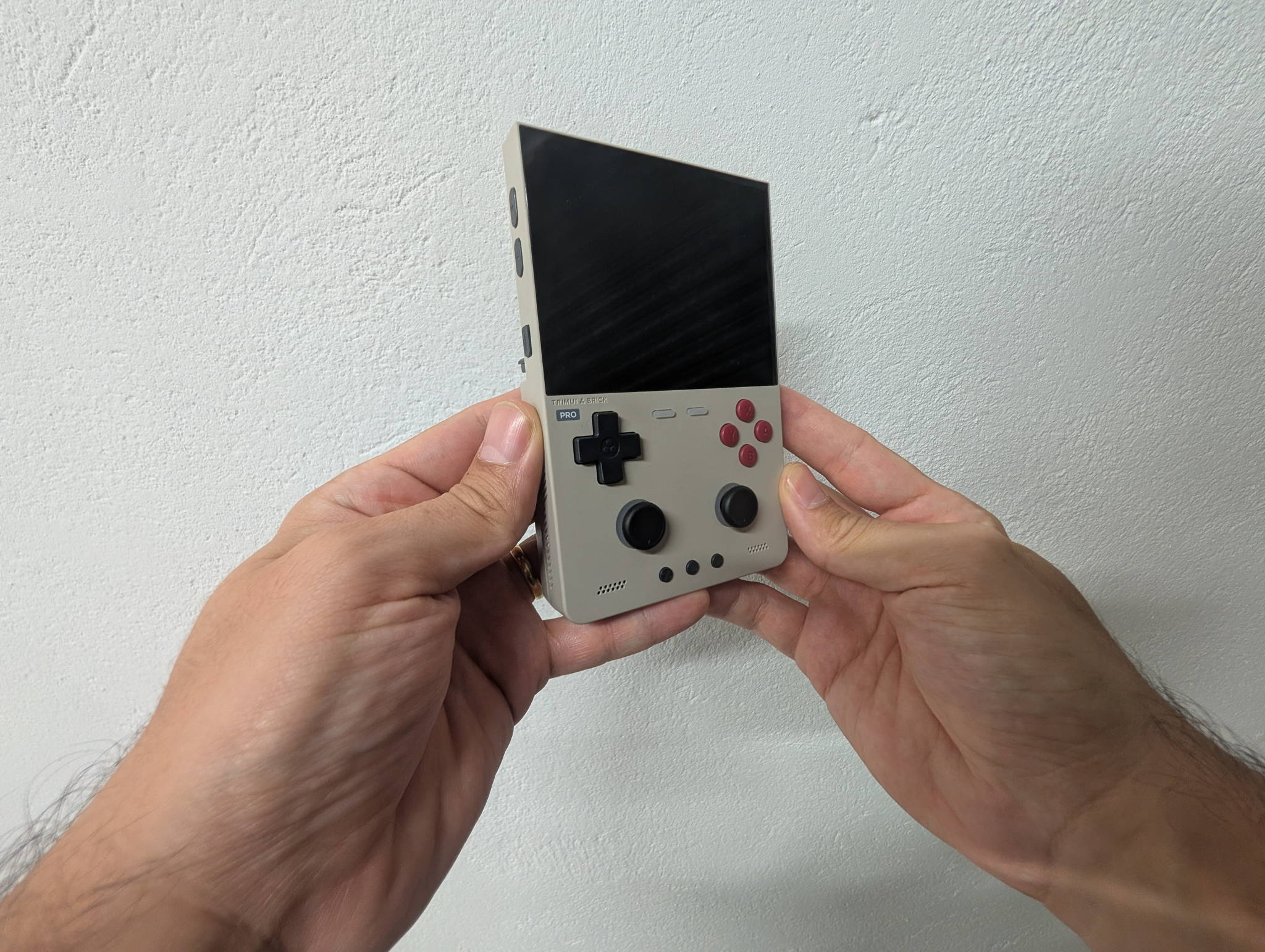
The original Brick was a lovely little thing with one obvious hole in it: no analog sticks. TrimUI’s answer wasn’t to make a bigger Brick — it was to make a denser one. The Brick Pro keeps the chunky, pocketable silhouette, then stuffs in dual Hall-effect sticks, a 324 PPI laminated 4:3 panel, video output and Bluetooth.
It is, on paper, one of the most complete sub-flagship handhelds anyone has shipped. Let’s find out where the seams are.
TrimUI Brick ProBlack, White or Retro Grey — direct from the TrimUI store.
Check priceThe spec sheet, without the marketing
| Specification | Details |
|---|---|
| Model | TG4070 |
| Operating system | Trim-UI Linux |
| Kernel | Linux 4.9 |
| CPU | Allwinner A133P |
| CPU speed | 1.8 GHz |
| GPU | PowerVR GE8300 |
| GPU speed | Up to 660 MHz |
| RAM | 1 GB LPDDR3 |
| Internal storage | 8 GB eMMC |
| External storage | TF / microSD, expandable up to 1 TB |
| USB storage | USB host, FAT32 flash drives |
| Screen | 3.95-inch IPS, full lamination, 4-lane MIPI |
| Resolution | 1024 × 768 |
| Aspect ratio | 4:3 |
| Refresh rate | 60 Hz |
| Pixel density | 324 PPI |
| Wi-Fi | 802.11 b/g/n |
| Bluetooth | 4.2 + EDR 2.1 |
| Battery | 5,000 mAh Li-Po, 3.7 V |
| Battery life | ~5–10 hours, depending on workload |
| Charging | USB-C, 5 V / 2 A (10 W), CC charging |
| Speakers | 2 × stereo, 8 Ω / 1 W |
| Headphone jack | 3.5 mm |
| Microphone | Built-in mono |
| Analog sticks | 2 × JF15 Hall-effect |
| L3 / R3 | Clickable sticks |
| Vibration | Single-channel motor |
| Video output | USB-C DP Alt Mode, up to 1920 × 1080 @ 60 Hz |
| USB-C ports | 2 |
| Bottom USB-C | PC data + charging |
| Rear USB-C | USB host / peripherals |
| TF slot | Yes |
| RGB lighting | Yes |
| Colors | Black, White, Retro Grey |
| Material | ABS + PC |
| Weight | 236 g |
| Dimensions | 130 × 86 × 22 mm |
| Languages | English, Simplified & Traditional Chinese, Japanese, Korean, French, German, Italian, Spanish, Portuguese, Russian, Vietnamese |
The 4:3 panel is a statement of intent
Widescreen handhelds are a compromise dressed up as a feature. Almost nothing you actually want to play on a retro device was made for 16:9 — so on a widescreen panel you either stretch it (crime), pillarbox it (waste half your glass), or squint.
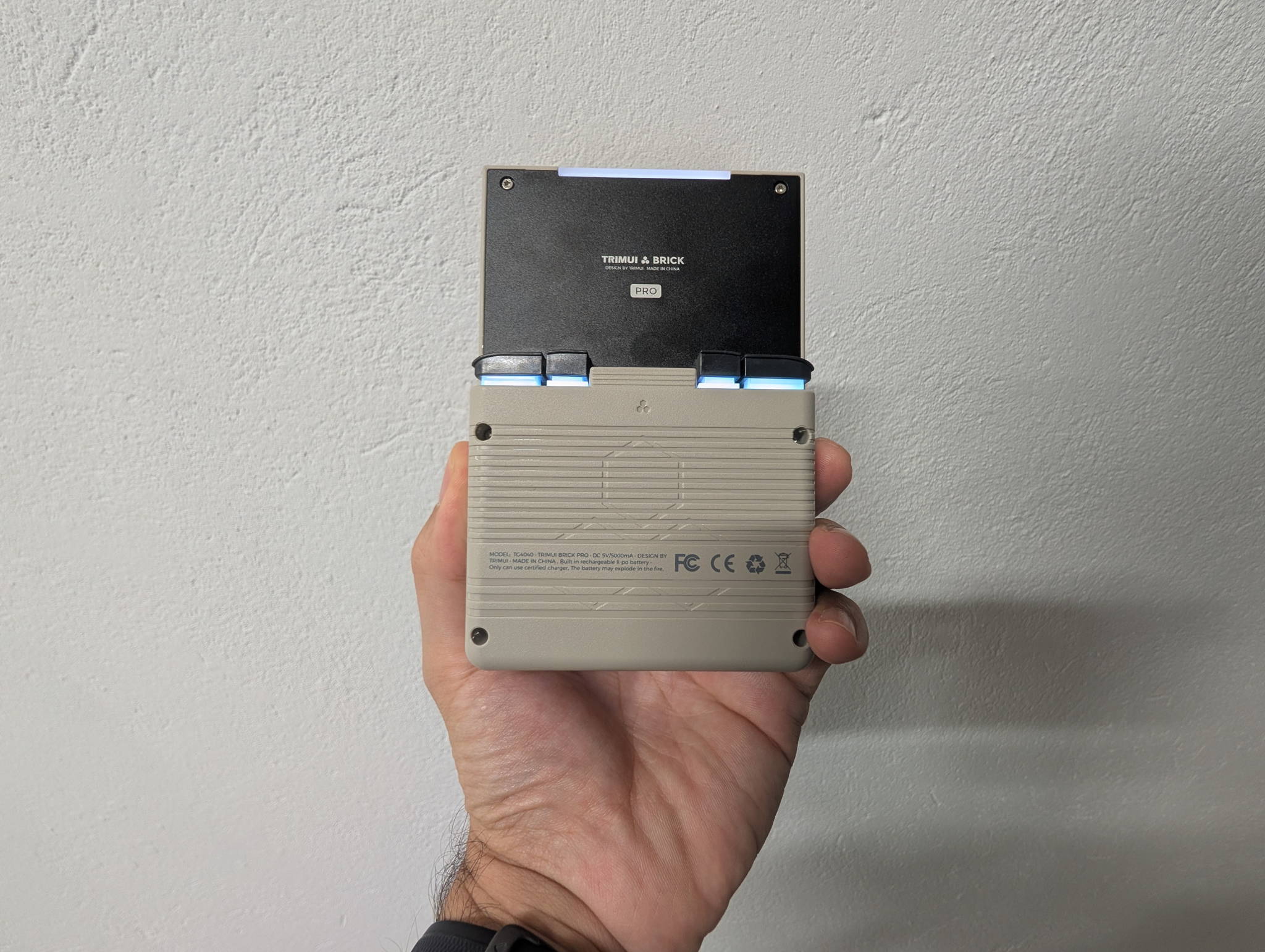
The Brick Pro just refuses the premise. 3.95 inches, 1024 × 768, native 4:3, fully laminated, 324 PPI. Every 4:3 system fills the screen edge to edge with nothing left over.
| System | Native | On a 1024 × 768 panel |
|---|---|---|
| NES | 256 × 240 | 3× = 768 × 720, near-perfect fit |
| SNES / Genesis | 256 × 224 | 3× = 768 × 672, clean and huge |
| Game Boy / GBC | 160 × 144 | 5× = 800 × 720, gorgeous |
| GBA | 240 × 160 | 4× = 960 × 640, sharp with room to spare |
| PS1 | 320 × 240 | 3× = 960 × 720, fills the panel |
| Nintendo DS | 256 × 192 ×2 | Stacked layout suits 4:3 perfectly |
That table is the entire argument for this device. Integer scaling everywhere, no stretching, no wasted glass. And at 324 PPI, the pixel grid disappears — you get the look of a CRT-adjacent image with the stability of a modern LCD. Lamination means no air gap, so the picture sits right on the surface and blacks don’t wash out under a lamp.
The one caveat: it’s 3.95 inches. Coming from a 5-inch device, the first ten minutes feel cramped. By day two you stop noticing, because density is doing the work that size used to.
Hall-effect sticks, finally
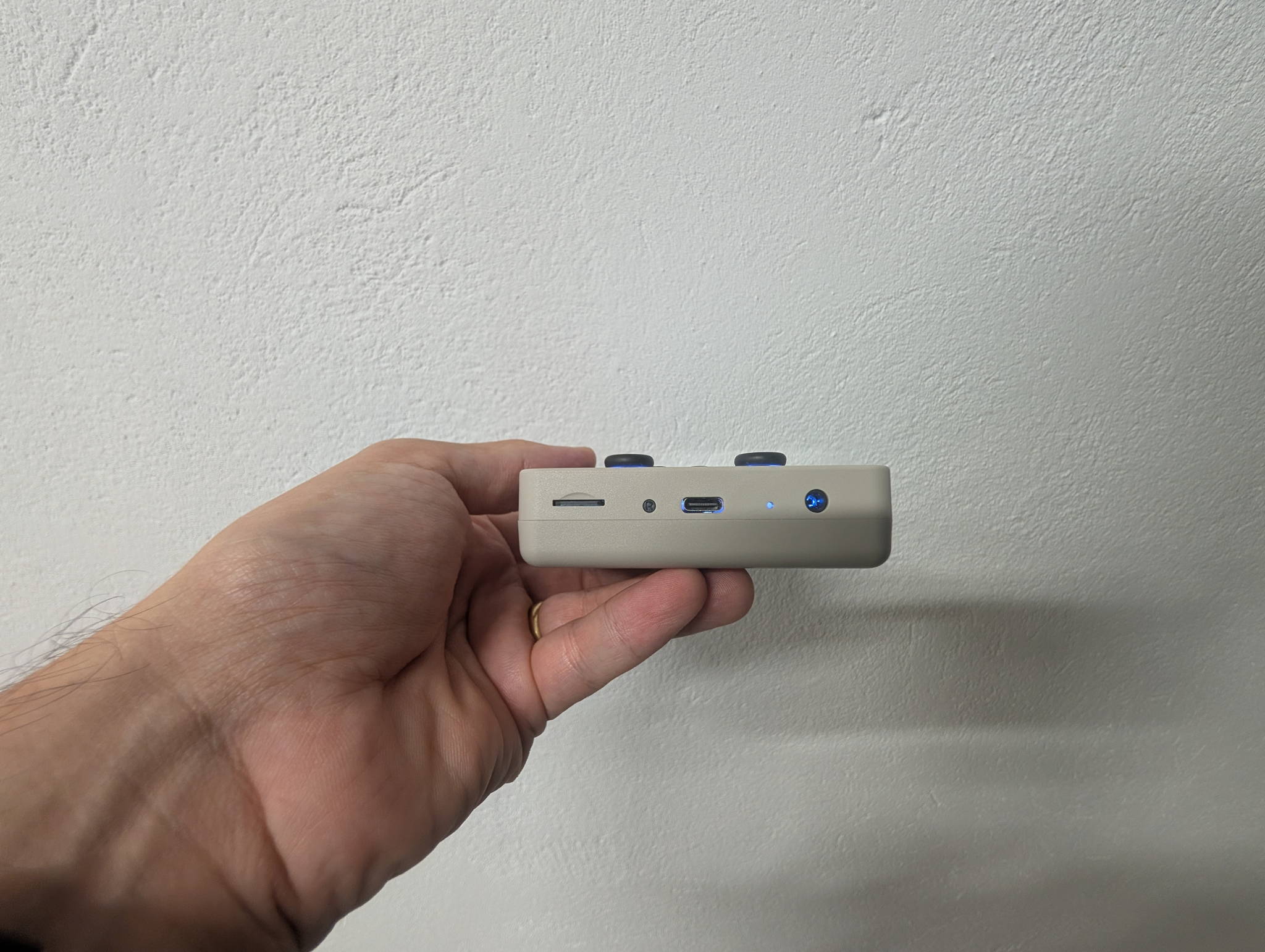
Two JF15 Hall-effect sticks, both clickable for L3/R3. This is the upgrade that matters most over the wider TrimUI lineup, which still ships conventional potentiometers.
Hall sticks read position with a magnet and a sensor instead of a physical wiper scraping a resistive track. No contact means no wear, which means no drift — the failure mode that kills every other handheld eventually. On a device you intend to keep for years, this is worth more than a spec bump.
| Control | Notes |
|---|---|
| D-pad | Classic TrimUI feel — tight pivot, confident diagonals |
| Face buttons | Short travel, quiet, well-spaced for the size |
| Analog sticks | JF15 Hall-effect, clickable (L3/R3), low-profile |
| Shoulders | L1/R1 + L2/R2 |
| Vibration | Single-channel motor |
| Lighting | RGB |
The sticks are necessarily small and low-profile — this is a 22 mm-thick brick, not an Xbox pad — so they’re best for camera control and analog nudging rather than twitch shooters. Having L3/R3 as real clicks matters more than you’d think for N64 and PSP mapping.
Ports: the quiet superpower
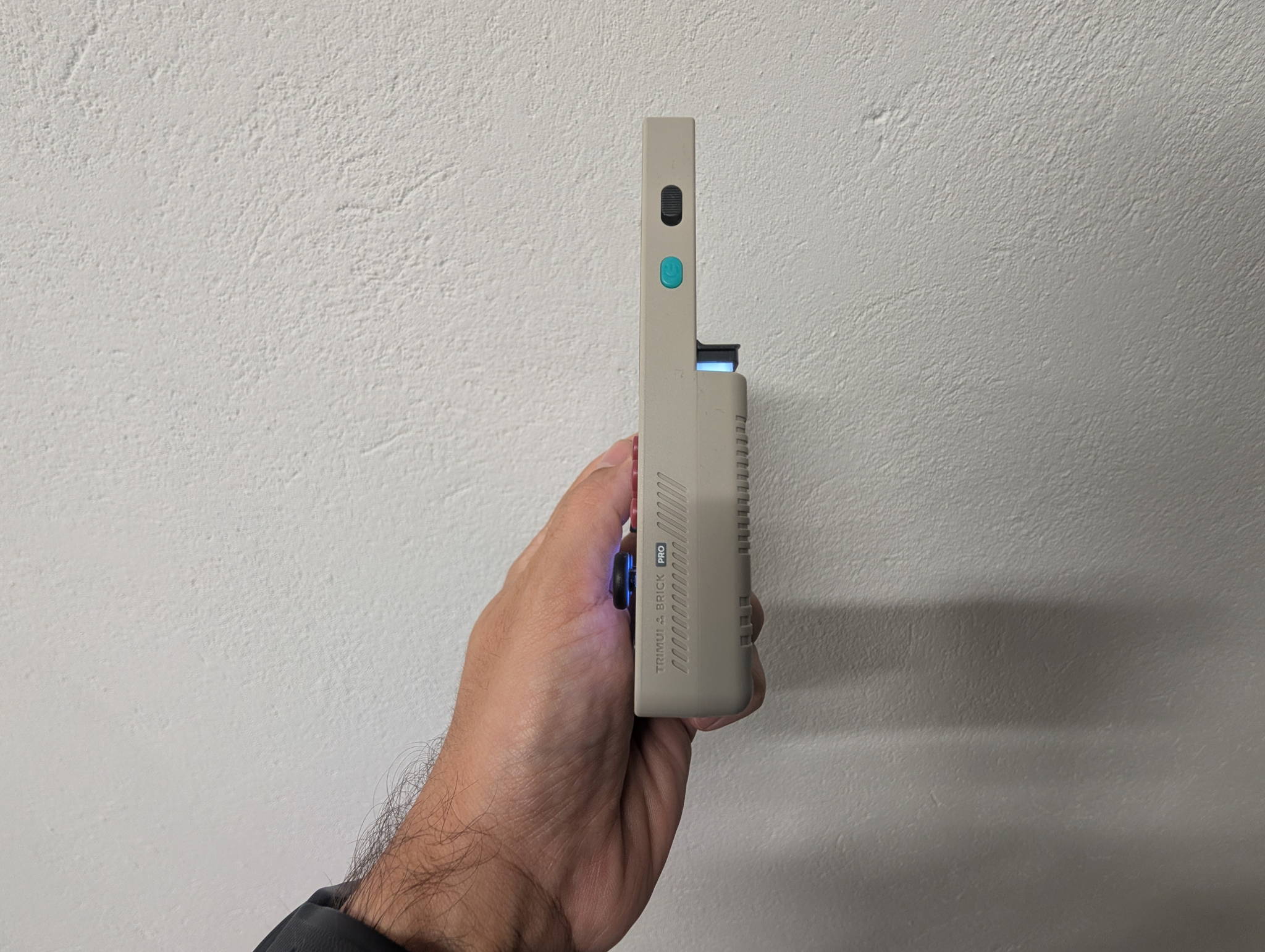
Two USB-C ports, and they do different jobs:
| Port | What it does |
|---|---|
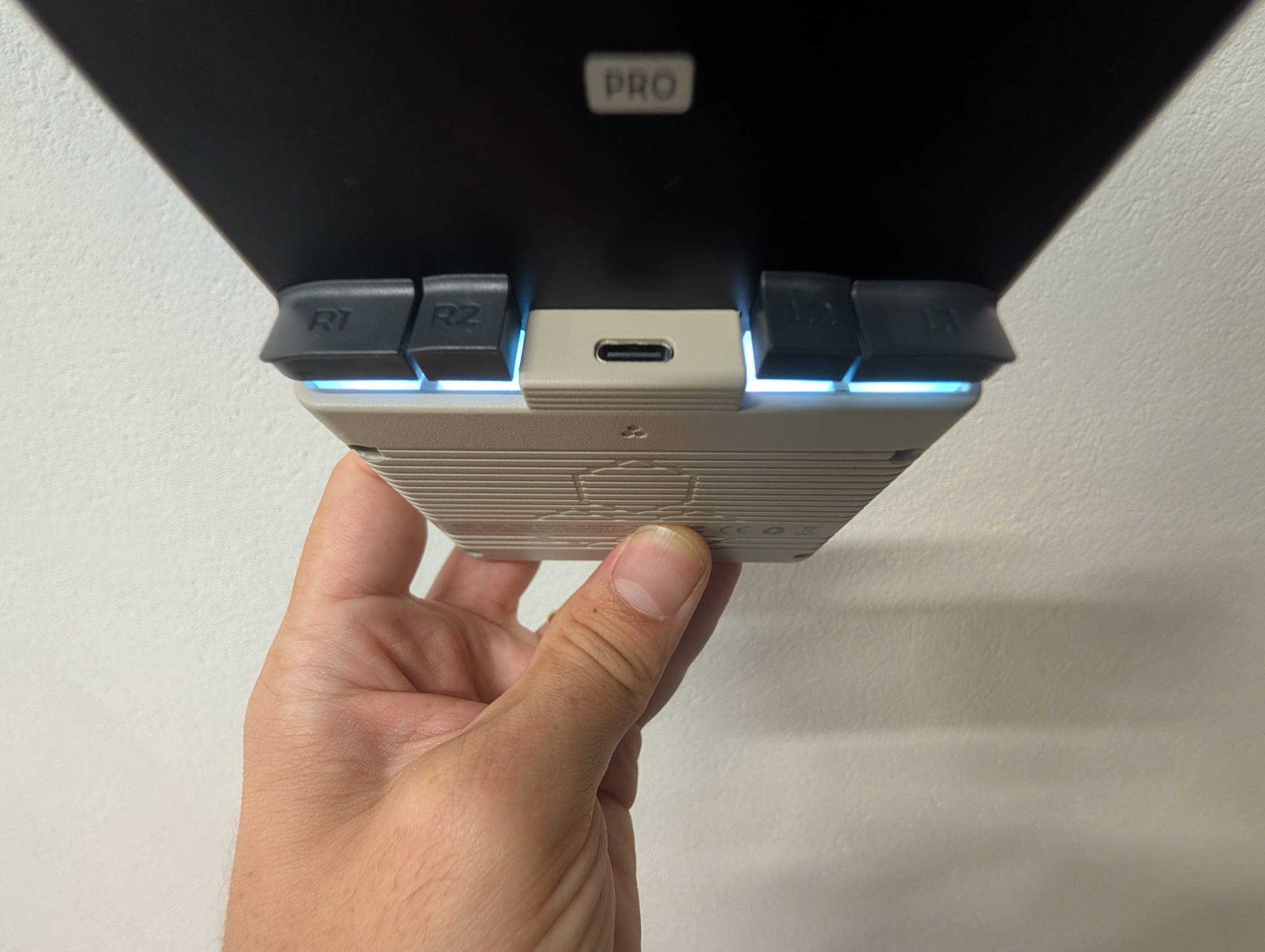
| Bottom USB-C | Charging (10 W) + PC data |
| Rear USB-C | USB host — controllers, keyboards, FAT32 flash drives |
| Video out | DP Alt Mode, up to 1920 × 1080 @ 60 Hz |
DP Alt Mode is the headline here. Plug the Brick Pro into a TV with a USB-C-to-HDMI adapter, pair a controller over Bluetooth 4.2 or plug one into the rear host port, and you have a genuine living-room console. For a device this size and price, TV-out plus wireless pads is a properly nice trick.
Storage is equally relaxed: 8 GB eMMC for the system, microSD up to 1 TB for everything else, and USB host that’ll read a FAT32 stick if you want to sideload without pulling the card.
Performance: A133P realities
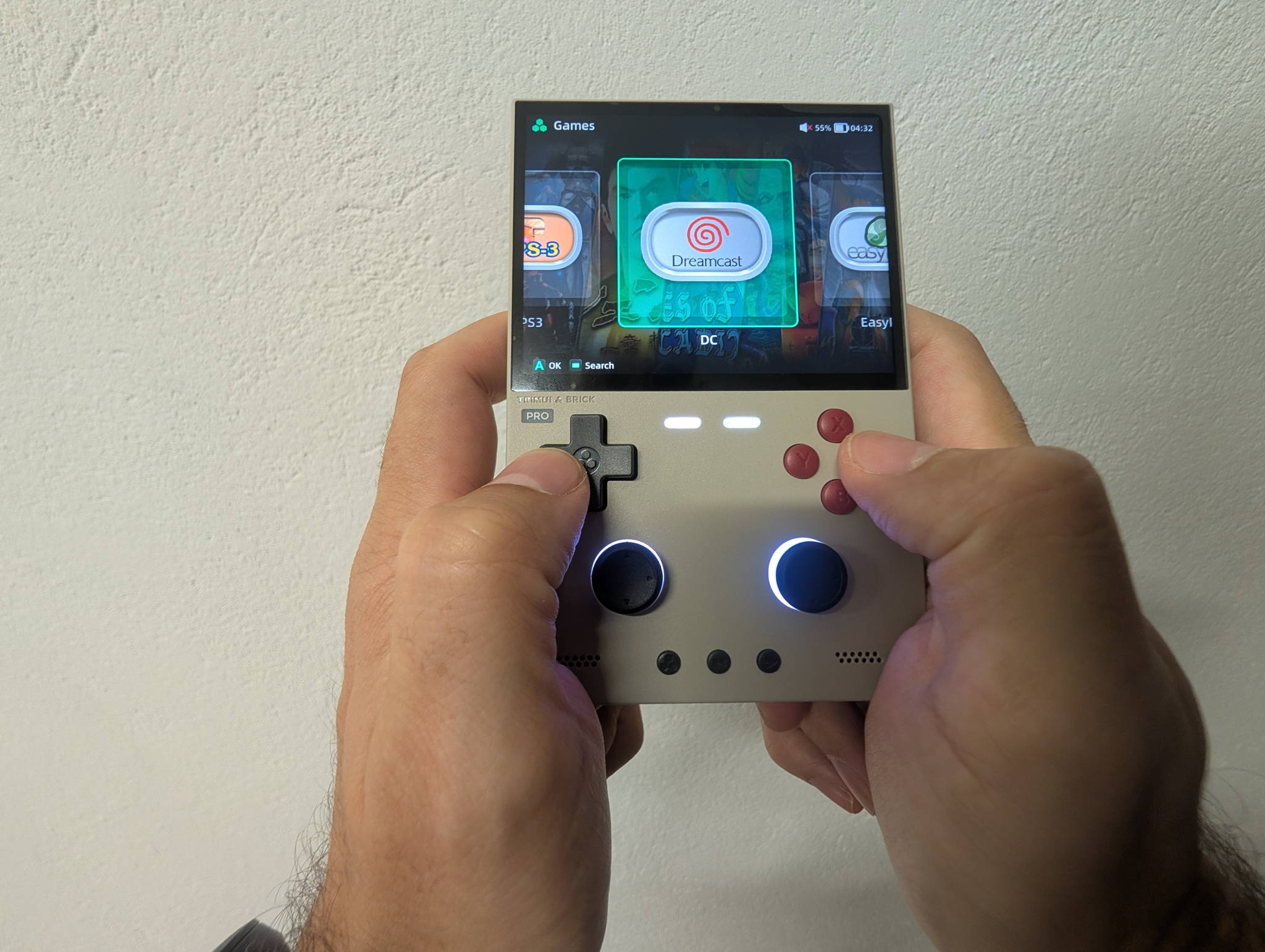
The Brick Pro runs the same Allwinner A133P at 1.8 GHz with a PowerVR GE8300 at 660 MHz that powers TrimUI’s larger devices. One meaningful difference: this one uses 1 GB of LPDDR3, not LPDDR4X. Same capacity, older and slower memory standard — you won’t notice it in 2D, but it’s part of why the heavier 3D tier stays stubborn.
| System | Verdict | Notes |
|---|---|---|
| NES / SNES / Genesis / TG-16 | Flawless | Shaders and overlays on top, no sweat |
| GB / GBC / GBA | Flawless | The best-looking GBA I’ve used, full stop |
| Neo Geo / CPS1-2-3 | Flawless | 4:3 arcade content is this panel’s home turf |
| PS1 | Excellent | Full speed with upscaling headroom |
| Nintendo DS | Very good | Stacked screens fit 4:3 beautifully |
| N64 | Good, title-dependent | The usual per-game settings dance |
| PSP | Good, title-dependent | 2D and light 3D fine; heavy 3D wants frameskip |
| Dreamcast | Playable, mixed | Some titles sing, others stutter |
| Saturn | Rough | Emulator cost, not silicon |
| PS2 / GameCube | No | 1 GB of RAM ends the conversation |
The shape of it: everything through PS1 is a solved problem and looks spectacular on this screen, DS is a genuine pleasure, and N64/PSP/Dreamcast is the band where you’ll be tuning. If your library lives in 2D, the Brick Pro is comically overqualified.
Software
Stock is Trim-UI Linux on a 4.9 kernel — boots fast, sleeps and resumes reliably, and TrimUI’s own menu has matured a lot. Twelve interface languages out of the box is a nice touch that most competitors skip entirely.
But the real reason to buy TrimUI hardware is the community around it. The A133P platform has an active custom-firmware scene, so this is a device that keeps getting better rather than shipping and going quiet. Whatever you run, buy the console from the official TrimUI store and put your library on a name-brand A2 microSD — leave the 8 GB eMMC to the system.
Battery, size and feel
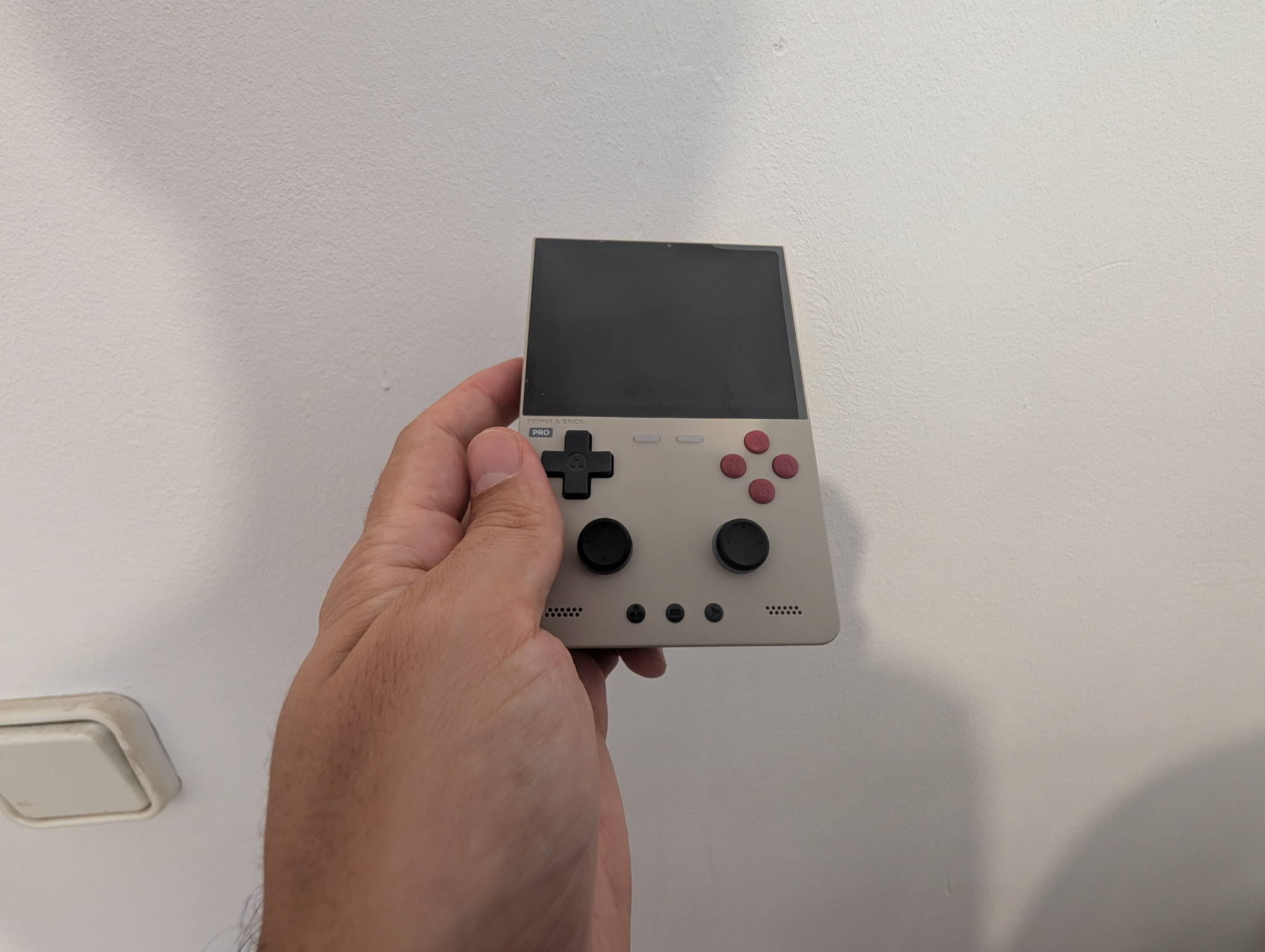
5,000 mAh behind a 3.95-inch panel is a much better ratio than the same cell behind a 5-inch one, and it shows — the quoted 5–10 hour range is wide because the workload range is wide:
| Usage | Rough runtime |
|---|---|
| GB / GBA / 8-bit, low brightness, RGB off | Toward 10 hours |
| SNES / PS1 / DS, medium brightness | Comfortably in the middle |
| N64 / PSP, high brightness, RGB on | Toward 5 hours |
Charging is 5 V / 2 A — 10 W, with CC charging supported. Not fast, but a meaningful step up from the 7.5 W you get on some siblings, and enough to refill overnight without thinking about it.
At 236 g and 130 × 86 × 22 mm, it’s dense in the hand — heavier than it looks, in the reassuring way. It’s a jacket-pocket device rather than a jeans-pocket one, and the thickness that makes it a “brick” is exactly what makes it comfortable to hold for an hour without grips.
Brick Pro vs Smart Pro
They share a chip and a price neighbourhood, so this is the comparison that actually matters:
| Brick Pro (TG4070) | Smart Pro (TG5040) | |
|---|---|---|
| Screen | 3.95” 4:3, 1024 × 768, 324 PPI | 4.96” 16:9, 1280 × 720, ~296 PPI |
| Sticks | Hall-effect, clickable | Potentiometer |
| RAM | 1 GB LPDDR3 | 1 GB LPDDR4X |
| Video out | Yes — 1080p60 DP Alt Mode | No |
| Bluetooth | 4.2 + EDR | — |
| Charging | 10 W | 7.5 W |
| Weight | 236 g | ~162 g |
| Best for | 2D, arcade, GBA, PS1, DS | Widescreen content, PSP, bigger picture |
The Brick Pro is the better retro machine — 4:3 native, drift-proof sticks, TV-out. The Smart Pro is the better big-screen machine. If most of your library predates the sixth generation, the Brick Pro wins comfortably.
Who should buy it
Buy it if:
- Your library is 2D-first: NES through PS1, arcade, GBA, DS.
- You want Hall-effect sticks and never want to think about drift again.
- You like the idea of a handheld that also plugs into the TV.
- You want dense, pocketable hardware over maximum screen size.
Skip it if:
- You want PS2 or GameCube. Not happening on 1 GB.
- You want the biggest possible screen — the Smart Pro is your device.
- 3.95 inches sounds small to you and you know your eyes.
- You want zero setup. This rewards a little tinkering.
Verdict
TrimUI stopped chasing specs and built the handheld the retro library actually wants: 4:3, dense, drift-proof, and pocketable.
The Brick Pro’s compromises are all in the same place — the ceiling of what an A133P with 1 GB of LPDDR3 can emulate. Everything below that ceiling is executed close to perfectly, and that’s most of what anyone plays. The Hall sticks and 1080p video output are the kind of features that usually cost twice as much.
If you’ve been holding out for a small handheld that doesn’t feel like a compromise, this is the one to buy.
Retpad score
| Category | Score |
|---|---|
| Screen | 9.5 / 10 |
| Build & controls | 9 / 10 |
| Performance | 7 / 10 |
| Features & connectivity | 9 / 10 |
| Battery & charging | 8 / 10 |
| Value | 9.5 / 10 |
| Overall | 8.8 / 10 |
Ready to grab one?The Brick Pro (TG4070) is sold direct, with all three colorways in one place.
Buy the Brick ProRetpad may earn a commission on purchases made through the links in this review. It never changes what we score a device.