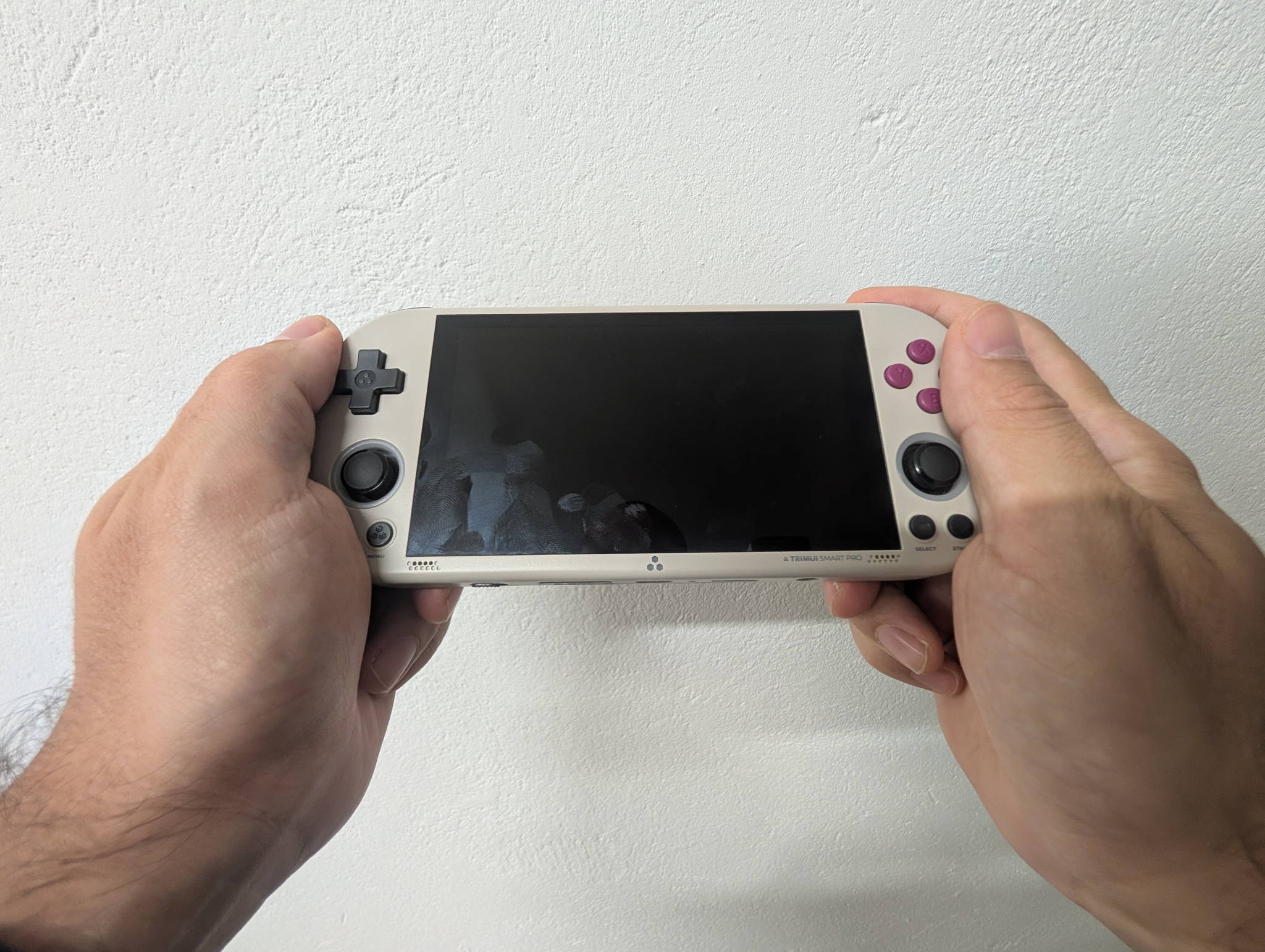
Some handhelds win you over with spec sheets. The TrimUI Smart Pro wins you over the second you turn it on, because that 4.96-inch laminated 720p panel looks like it wandered in from a device costing three times as much. Then you notice the RGB rings around the sticks, the two USB-C ports, the weight that somehow lands around 162 g, and you start wondering what TrimUI actually gave up to hit this price.
Short answer: RAM, and a little bit of your patience during setup. Long answer below.
TrimUI Smart ProBlack, White or Vintage Gray — straight from the TrimUI store.
Check priceThe spec sheet, without the marketing
| Specification | Details |
|---|---|
| Model | TG5040 |
| Operating system | Linux |
| Processor / SoC | Allwinner A133P / A133 Plus |
| CPU speed | 1.8 GHz |
| GPU | Imagination PowerVR GE8300 |
| GPU speed | 660 MHz |
| RAM | 1 GB LPDDR4X |
| Internal storage | 8 GB eMMC |
| Expandable storage | TF / microSD — 64 GB, 128 GB, 256 GB |
| Screen | 4.96-inch IPS |
| Resolution | 1280 × 720 |
| Screen type | Full lamination / OCA |
| Wi-Fi | 802.11 b/g/n |
| Speakers | Stereo, 2 × 1 W |
| Headphone jack | 3.5 mm |
| Microphone | Mono |
| Battery | 5,000 mAh Li-ion |
| Battery life | Up to ~5 hours |
| Charging | USB-C, 5 V / 1.5 A |
| USB data | Up to 500 mA |
| USB-C ports | 2 |
| Bottom USB-C | Charging + OTG |
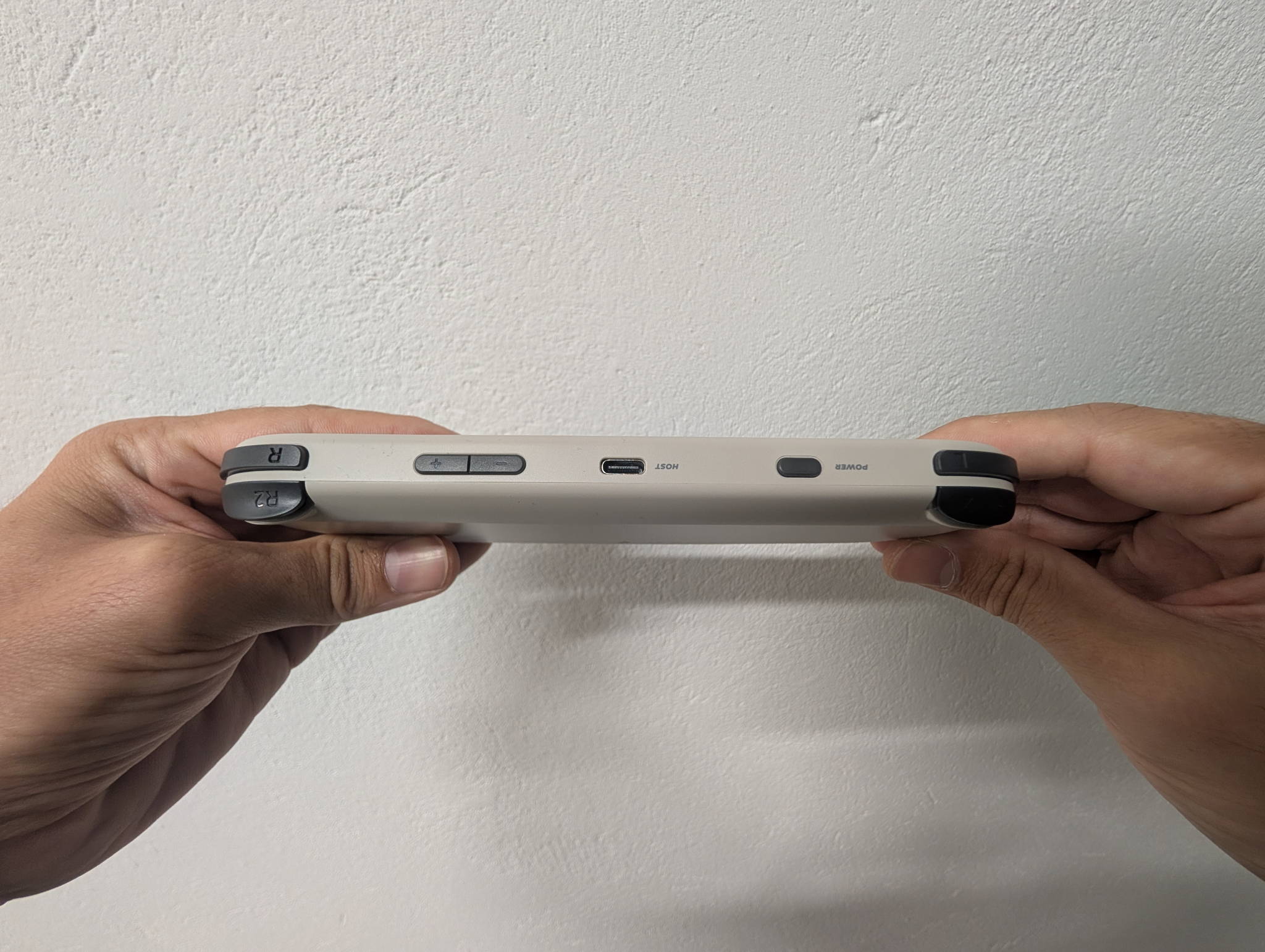
| Top USB-C | USB host, supports USB controllers |
| Vibration | Single motor |
| Analog sticks | Dual |
| Stick lighting | RGB ambient |
| Status lights | RGB indicators + charging indicator |
| Colors | Black, White, Vintage Gray |
| Dimensions | ~187.4 × 79.8 × 17.2 mm |
| Weight | ~162 g (per the store listing) |
| Material | Glass + ABS |
That screen is the whole review
Let’s be honest about why anyone is reading this. The Smart Pro’s headline feature is a 4.96-inch, 1280 × 720 IPS panel with full OCA lamination — no air gap between the glass and the LCD, so the image sits right on the surface instead of floating a millimetre behind it. Cheap handhelds almost never do this, because lamination costs money and kills yields.
The practical wins:
- Blacks look black-ish instead of grey-ish. Less internal reflection means better perceived contrast, especially outdoors.
- No parallax when you tilt it. Pixel art stays glued to the glass.
- 720p divides beautifully. 240p content integer-scales to 3× with a 720-pixel-tall canvas; GBA’s 160p scales 4× cleanly with room to spare.
At 5 inches, 720p also lands around 296 ppi — dense enough that you stop seeing the grid and start seeing the game. Pair it with a decent CRT shader and Genesis or Neo Geo content looks genuinely lovely, because you finally have enough spare pixels to fake scanlines without mush.
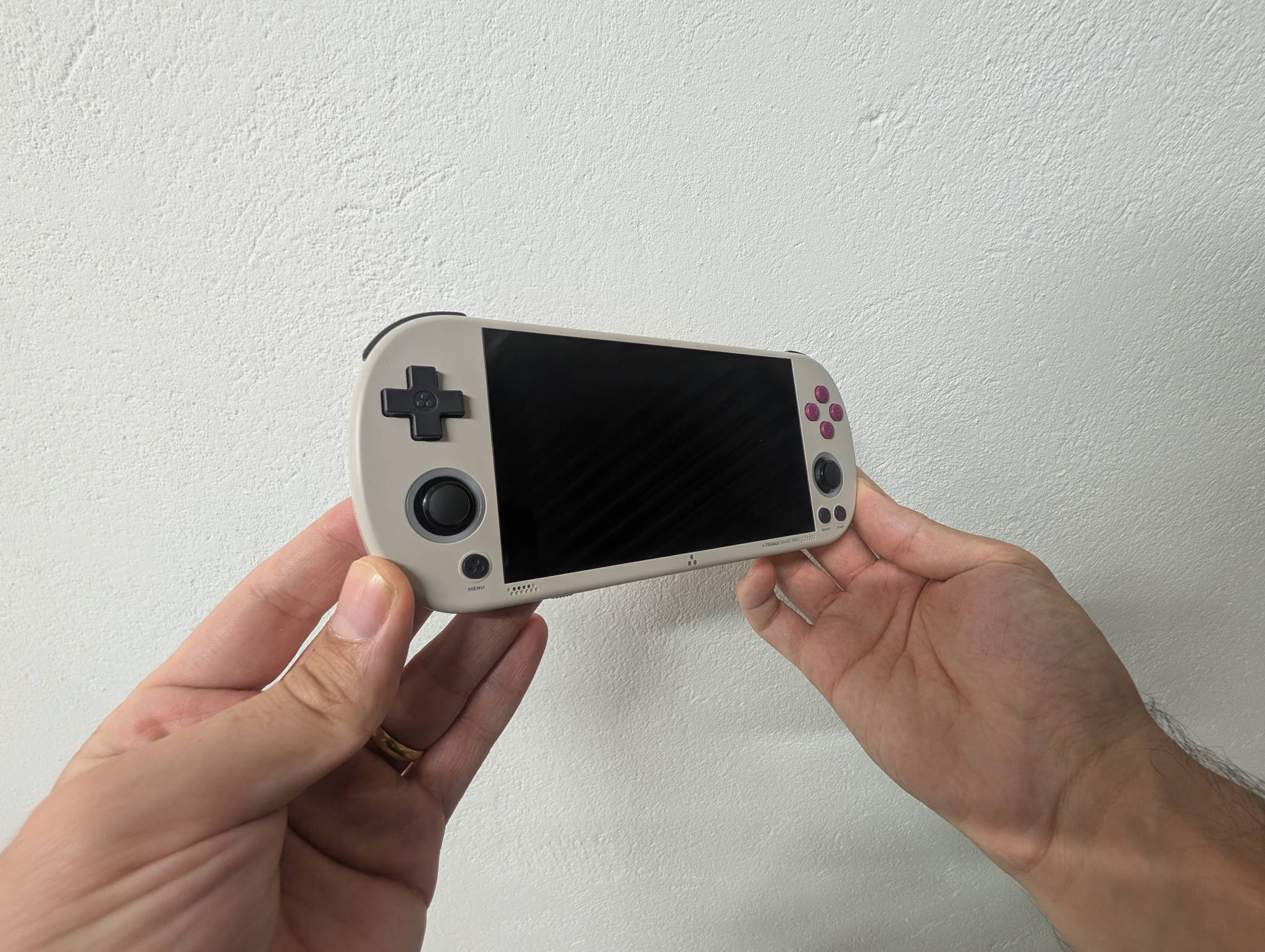
The trade-off is size. This is a wide device — 187 mm across — closer to a PS Vita footprint than a Miyoo Mini. It goes in a jacket pocket, not a jeans pocket.
Build, buttons and that RGB
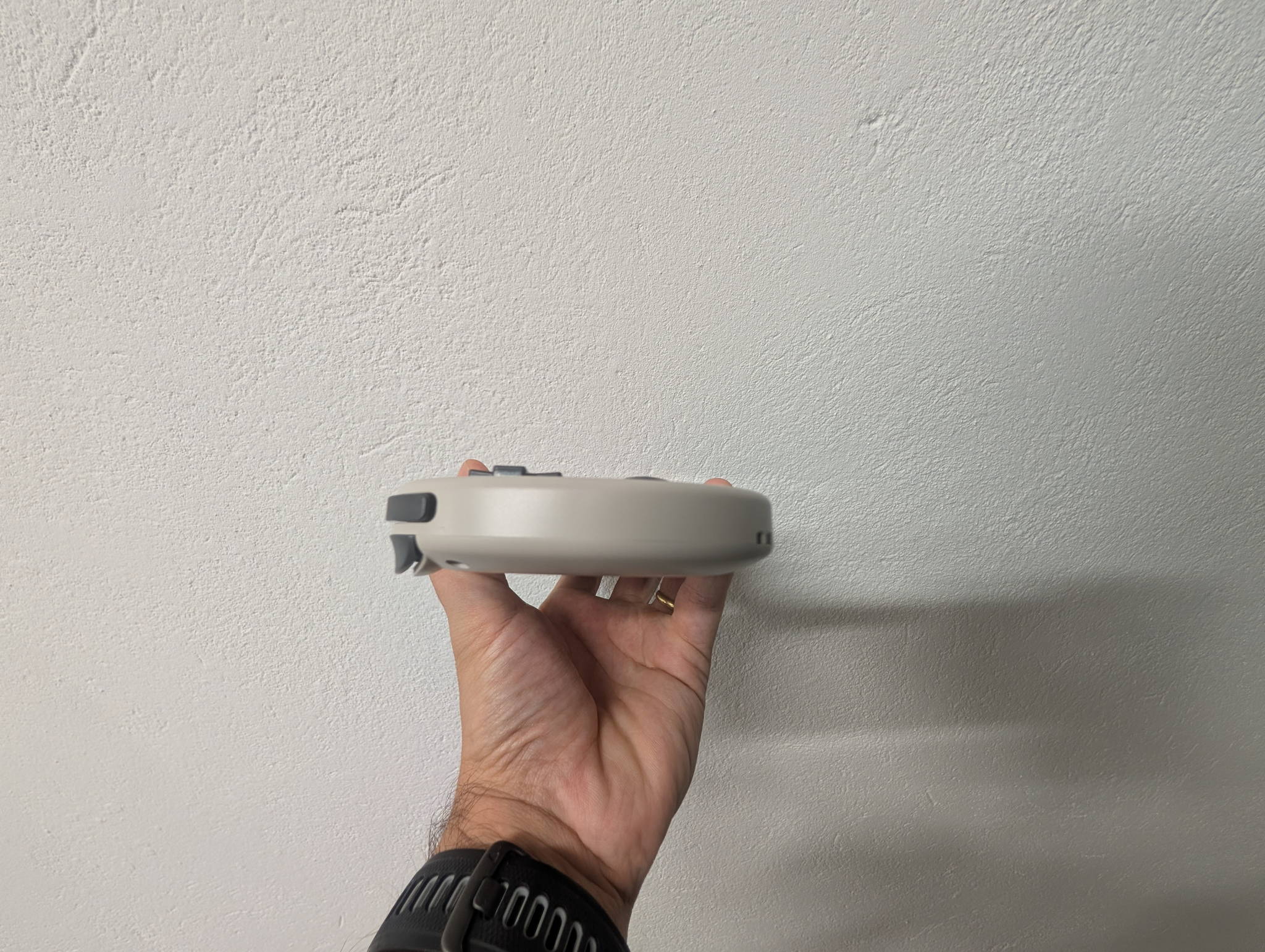
The shell is ABS with a glass front, and at ~162 g it’s light without feeling hollow. The Vintage Gray finish is the one to get if you’re sentimental about old Nintendo plastic; Black hides fingerprints best; White looks the sharpest in photos and the grubbiest in month three.
Controls are the standard TrimUI package, and they’re better than they have any right to be:
| Control | Notes |
|---|---|
| D-pad | Tight pivot, good for fighters and platformers; slightly clicky |
| Face buttons | Membrane, short travel, quiet |
| Analog sticks | Dual, small-diameter, potentiometer — not Hall effect |
| Shoulders | L1/R1 + L2/R2, digital |
| Vibration | Single motor, more thump than nuance |
| Lighting | RGB rings around both sticks + RGB status indicators |
The sticks deserve their own paragraph. They’re present, they work, and having two of them is what makes N64 and PSP viable at all here — but they’re small and they’re conventional pots, so drift over years is a real possibility rather than a paranoid one. Treat them as a bonus that unlocks a library, not as the reason you buy the device.
The RGB is genuinely fun. It’s also genuinely a battery tax and a “why is my nightstand glowing” tax, so it’s nice that you can turn it down.
Two USB-C ports is the underrated feature
Everyone fixates on the screen, but the port layout is the quiet flex.
| Port | What it does |
|---|---|
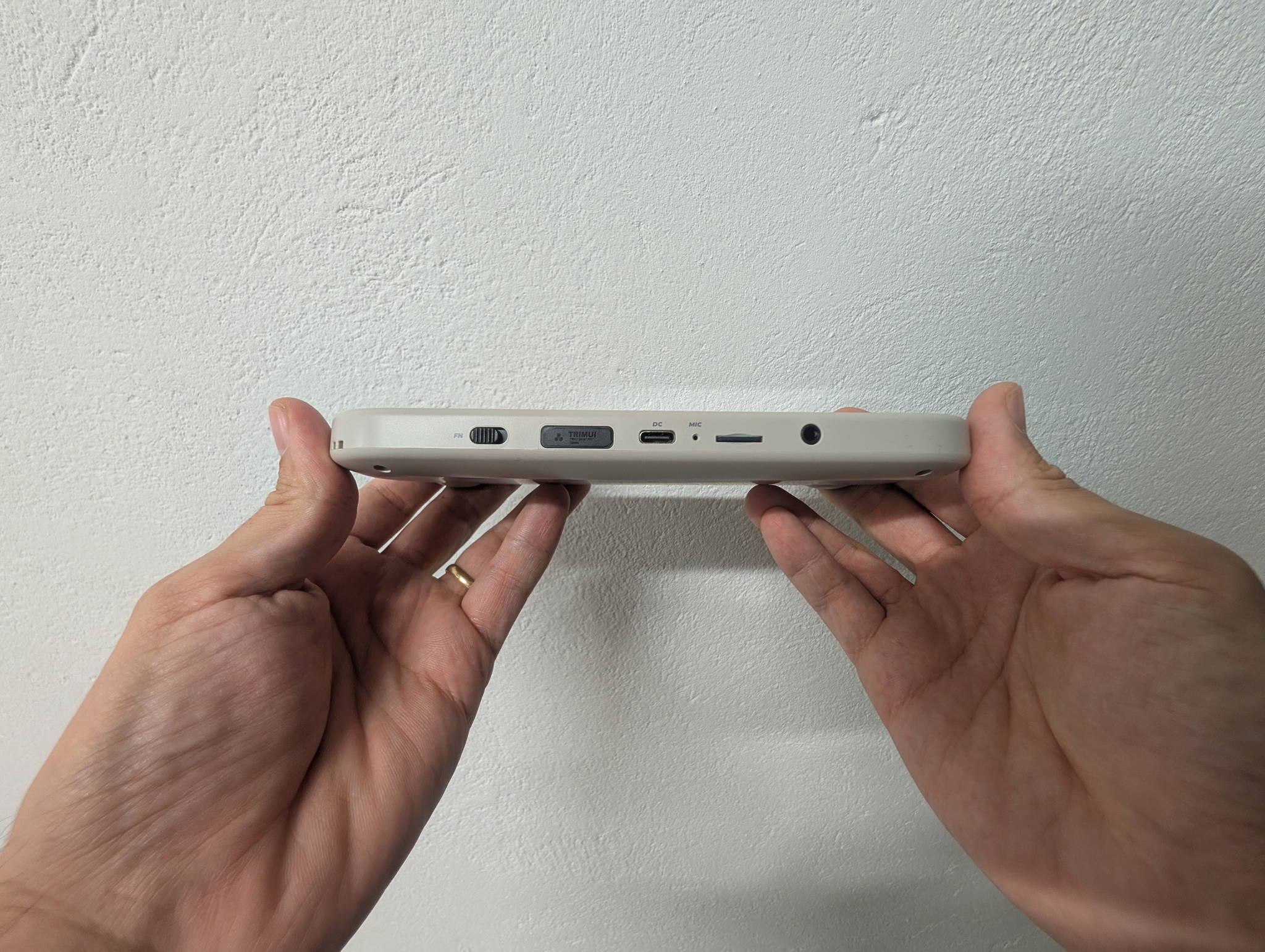
| Bottom USB-C | Charging (5 V / 1.5 A) and OTG |
| Top USB-C | USB host — plug in a controller |
The top port turning into a host means you can dock this on a desk, plug in an 8BitDo pad, and play with a full-size controller while the Smart Pro acts as the screen. Combined with the 3.5 mm jack and stereo 2 × 1 W speakers (loud, unsurprisingly thin at the low end), it’s a more flexible little box than the price suggests.
Wi-Fi is 802.11 b/g/n only — 2.4 GHz, no 5 GHz. Fine for ROM transfers over the network, retro achievements, and netplay experiments; not something you’d want to stream over.
Performance: where 1 GB of RAM draws the line
The A133P is a quad-core A53 at 1.8 GHz with a PowerVR GE8300 at 660 MHz. That’s a modest chip by 2026 standards, and the 1 GB of LPDDR4X is the real ceiling — it’s why this runs Linux and not Android, and honestly that’s the right call. A 1 GB Android device would have been a misery.
Here’s how it shakes out in practice:
| System | Verdict | Notes |
|---|---|---|
| NES / SNES / Genesis / TG-16 | Flawless | Shaders and overlays included, no drama |
| GB / GBC / GBA | Flawless | GBA at 4× integer looks superb on this panel |
| Neo Geo / CPS1-2-3 | Flawless | The 720p panel really sells these |
| PS1 | Excellent | Full speed, upscaling headroom |
| Nintendo DS | Very good | Dual-screen layouts benefit from the 5-inch panel |
| N64 | Good, title-dependent | The classic “it depends which game” tier |
| PSP | Good, title-dependent | 2D and lighter 3D fine; heavy 3D needs frameskip |
| Dreamcast | Playable, mixed | Great days and bad days, per title |
| Saturn | Rough | Emulation cost, not raw silicon |
| PS2 / GameCube | No | Don’t let anyone tell you otherwise |
The pattern is familiar: everything up to and including PS1 is a solved problem, DS is a pleasant surprise, and the N64/PSP/Dreamcast band is where you’ll be maintaining per-game settings. If your library lives in the 8- and 16-bit era with a PS1 habit on the side, this thing is overqualified.
Software: stock, then CrossMix, then everything else
Stock firmware is functional and boots fast, and TrimUI’s own UI has improved a lot from the early days. But the reason the Smart Pro has the reputation it does is the community.
- CrossMix OS is the default recommendation — a polished, batteries-included setup with better scraping, better emulator defaults and a much friendlier menu.
- Custom firmware built on the A133P has matured to the point where the platform gets meaningful updates rather than one-and-done releases.
Practical advice: buy the console itself from the official TrimUI store, then use the 8 GB eMMC for the system and put everything else on a microSD. Buy a name-brand A2 card — a 128 GB card is the sensible middle, 256 GB if you’re the sort of person who keeps full No-Intro sets.
Battery and charging
5,000 mAh sounds enormous, and it is — but a 5-inch 720p laminated screen with RGB lighting is a hungry combination. Around five hours is the realistic headline figure, and your mileage depends heavily on what you’re doing:
| Usage | Rough runtime |
|---|---|
| 8/16-bit, low brightness, RGB off | Toward the top of the range |
| PS1 / DS, medium brightness | Around the ~5 hour mark |
| N64 / PSP, high brightness, RGB on | Meaningfully less |
Charging is where the corner-cutting shows: 5 V / 1.5 A is 7.5 W, which is slow for a 5,000 mAh cell. Plan on charging overnight rather than topping up in a coffee break. Any USB-C brick will do — a 100 W GaN charger buys you nothing here.
Who should buy it
Buy it if:
- You want the best screen-per-dollar in handheld retro gaming, full stop.
- Your library tops out around PS1/DS, with N64 and PSP as a bonus.
- You like tinkering — or at least don’t mind flashing a card once.
- You want dual sticks and a headphone jack without stepping up to Android prices.
Skip it if:
- You want pocketable. This is a bag-and-jacket device.
- You need PS2 or GameCube. 1 GB of RAM ends that conversation.
- You want Hall-effect sticks and guaranteed no-drift.
- You want to open the box and never touch a settings menu.
Verdict
The Smart Pro is a screen-first handheld that got the rest of the device mostly right by accident, and that turns out to be a great trade.
TrimUI spent the budget where you look — a laminated 720p panel at 5 inches — and economised where you don’t: 1 GB of RAM, slow charging, ordinary potentiometer sticks, 2.4 GHz-only Wi-Fi. Every one of those cuts is defensible, and none of them stops the thing from being an absolute joy for the 90% of retro gaming that isn’t sixth-generation 3D.
If you’ve been waiting for a handheld where sprites look the way you remember them looking, this is the one. Put CrossMix on a decent card, turn the RGB down, and go rebuild your childhood.
Retpad score
| Category | Score |
|---|---|
| Screen | 9.5 / 10 |
| Build & controls | 8 / 10 |
| Performance | 7 / 10 |
| Software & community | 8.5 / 10 |
| Battery & charging | 7 / 10 |
| Value | 9.5 / 10 |
| Overall | 8.6 / 10 |
Ready to grab one?The Smart Pro (TG5040) is sold direct, with all three colorways in one place.
Buy the Smart ProRetpad may earn a commission on purchases made through the links in this review. It never changes what we score a device.